

How to Complete Your Declaration
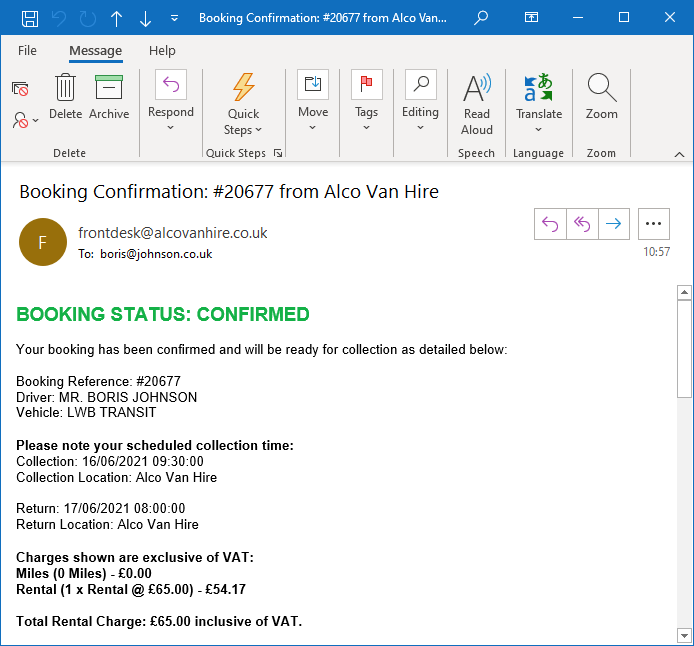
After booking, every driver must complete the insurance & driver declaration and supply the documents required for that driver. Use the link in the booking confirmation email or Open the Declaration Service Here.
Before You Start
Have your booking reference, driving licence and required identity documents ready. Read Document Requirements first if you are unsure what you need.
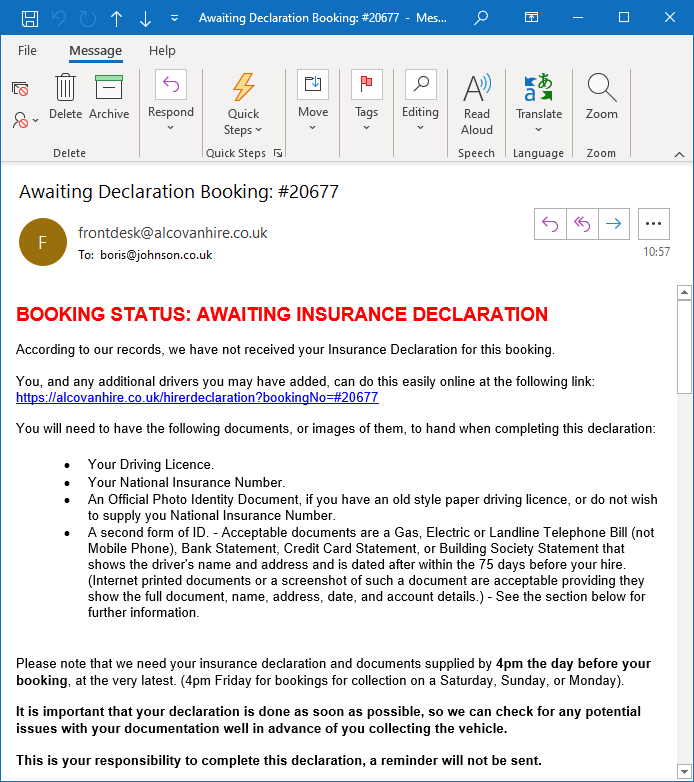
Step 1 - Open Your Declaration Link
Use the declaration link shown after booking or in your booking confirmation email. If you cannot find it, Open the Declaration Service Here.
Each driver uses the booking details and instructions provided for the hire.
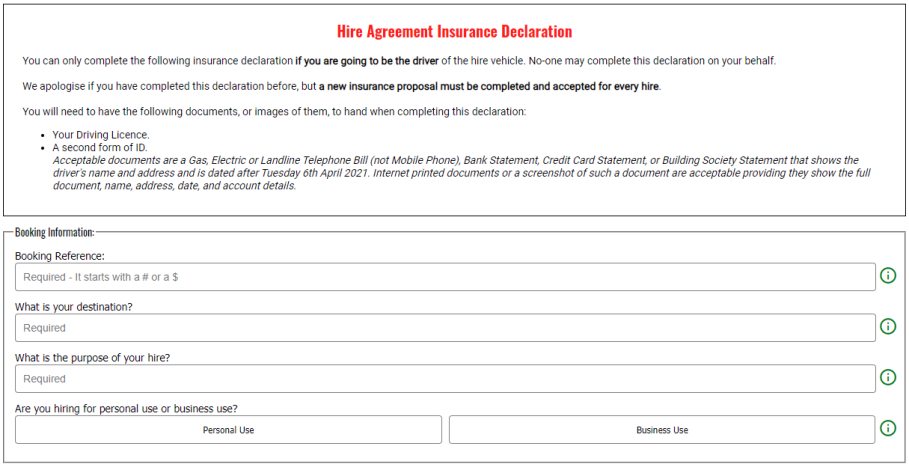
Step 2 - Answer the Driver and Insurance Questions
Answer each question accurately. Most questions are simple selections; some require typed details or an explanation.
The form may reveal additional questions depending on your answers. Where an information or help icon is available, use it for further guidance about that question.
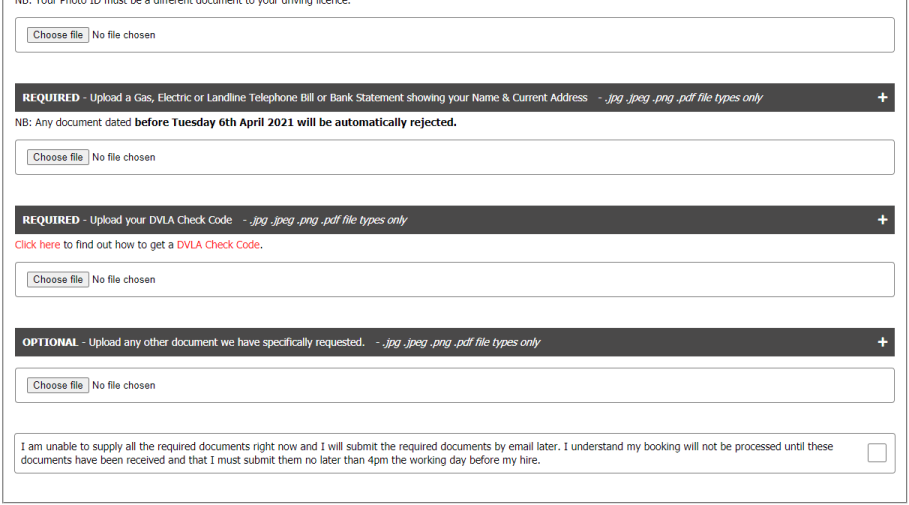
Step 3 - Upload the Required Documents
Upload the documents requested for that driver. Use clear, complete images and check them before submission.
If you do not have the document to hand, continnue with the declaration and send the missing document afterwards as soon as possible.
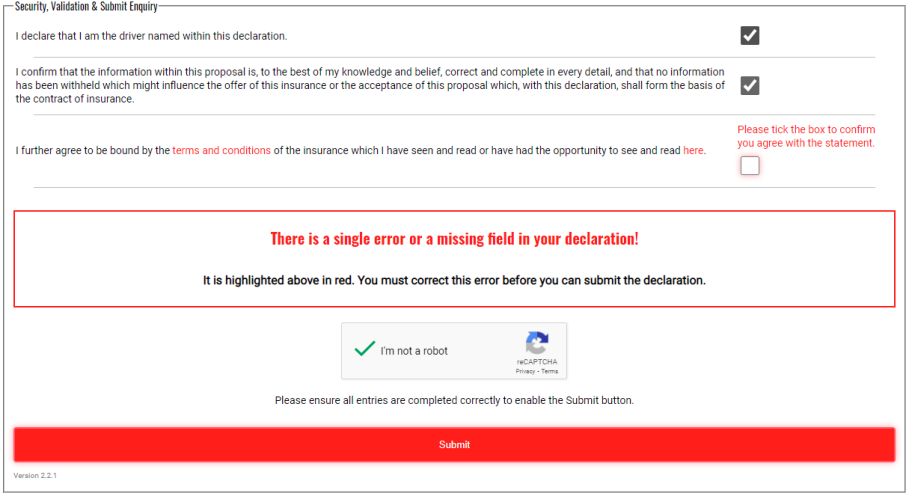
Step 4 - Check and Submit
Review the answers before submitting. If the form identifies an error, correct the highlighted field and submit again.
Once received, we will review the declaration and documents and contact you if anything else is required.
What is the driver declaration and why do I need to complete it?
The declaration records the information we need for the hire and includes the insurance declarations required for each driver. It allows us to assess and prepare the hire before collection.
When should I complete the declaration?
Complete it as soon as possible after booking and no later than 4pm on the working day before your hire, together with the required documents.
I have completed a declaration before. Do I need to complete another one?
Yes. Circumstances can change between hires, so a new declaration is required for each hire.
There are two or more drivers. Does everyone need to complete it?
Yes. Every driver must complete their own declaration and provide their own documents using the booking reference & instructions supplied for the hire.
Why do you ask me to upload documents?
Receiving documents in advance lets us verify the booking and insurance requirements before collection and helps make collection quicker.
Is the information I submit secure?
Use only the declaration link supplied by us to our authorised declaration service. The service uses encrypted HTTPS connections. Our Privacy Policy explains how personal information and identity documents are used and retained.
How do I start the declaration?
Use the declaration link shown after booking or in your booking confirmation email, or Open the Declaration Service Here. Have your booking reference, driving licence and required identity documents ready before starting.
How do I answer the questions?
Answer every question as accurately as possible. The form may show additional questions depending on the answers you give.
What if the form shows an error?
Read the validation message beside the highlighted field, correct the information and submit again. Make sure all mandatory questions have been answered and required formats have been followed.
What if I cannot upload a document?
Do not abandon the rest of the declaration. Use the option provided for documents you cannot supply at that moment, submit the declaration where permitted, then Provide the Missing Document Through the Upload Service as soon as possible.
What happens after I submit my declaration?
We review the declaration and documents. If anything further is needed we will contact you.
Can I change information after I submit?
If you realise something material was incorrect or your circumstances change, Contact us promptly rather than submitting conflicting information. We may ask you to complete a fresh declaration or provide clarification.